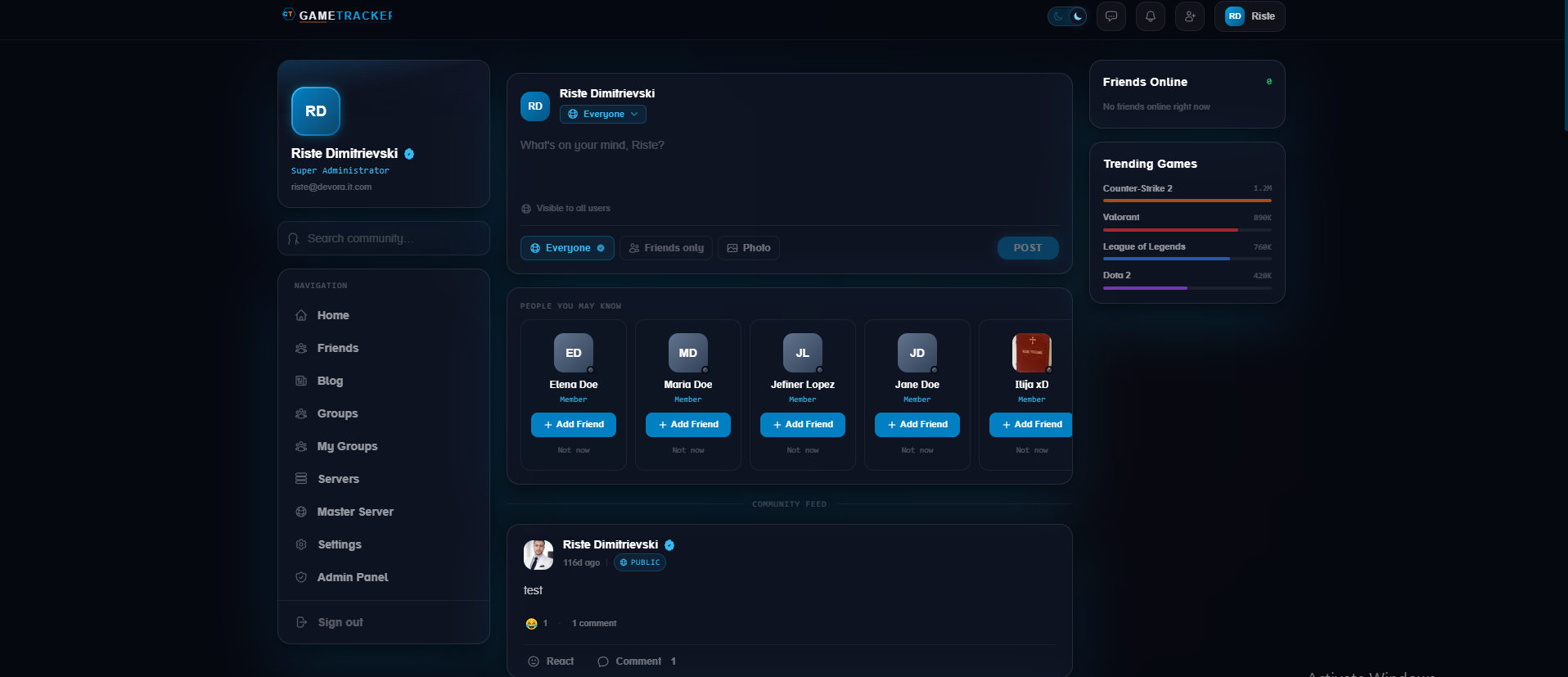
GameTracker — Social Gaming Platform GameTracker is a powerful social gaming platform designed for game server owners and gaming communities. It combines server tracking, rankings, social networking, community management, promotion tools, and advanced administration features into one complete ecosystem. Whether you operate a single game server or manage a large gaming network, GameTracker provides the tools you need to monitor your servers, increase visibility, build a community, connect with players, and compete for higher rankings . 🚀 Key Platform Features 🎮 Game Server Rankings & Tracking Allow game server owners to monitor their server performance, track rankings, and compete with other servers on the platform. GameTracker provides a competitive environment where server owners can increase their visibility and attract more players. ⭐ Server Boosting Increase your server's visibility with powerful promotional options. Boost your server in the Master Server Pool Highlight your server across the platform Promote servers through content-based placements Configure custom sponsorship and promotion pricing 👥 Server Groups & Communities Every server can build its own community directly on the platform. Server owners can create dedicated groups, invite players, publish server announcements, share updates, and interact with their community in one centralized location. 💬 Friends & Messenger Connect with other members through the built-in social system. Add and manage friends Private messaging Community interaction User-to-user communication 📰 Social Feed Keep your community active with a homepage social feed where members can publish status updates, share content, and interact with other users. 🛠️ Advanced Admin Control Panel GameTracker includes a comprehensive administration panel designed to give platform administrators complete control over their community, servers, content, users, promotions, and security. 🚨 Report Management Review and handle user-generated reports efficiently from a centralized moderation system. ✍️ Blog & Content Management Create and manage blog articles using a full-featured Rich Text Editor , making it easy to publish news, announcements, guides, and other content without requiring HTML knowledge. 🖥️ Game Server Management Administrators have complete control over registered game servers, including: Server scanning Rank management Rank freezing Server restart controls Server banning Server removal 👤 Member Management Manage users and control their permissions across the platform. Administrators can: Move members between permission-based groups Restrict messenger access Restrict status posting Manage user privileges Apply moderation actions 📊 Advanced UTM Traffic Analytics Track campaign and referral traffic using an integrated UTM analytics system designed to provide detailed insight into where your visitors are coming from and how campaigns perform. 🔗 URL & Domain Moderation Prevent unwanted domains and URLs from being shared across your platform. Administrators can silently block specific domains or URLs so that restricted links posted in: Messenger Groups Homepage feeds Other user-generated content remain invisible to other members while allowing administrators to maintain complete moderation control. 💰 Sponsorship Management Create and manage sponsorship opportunities directly from the administration panel. Set custom pricing for: Master Server Boosts Platform-wide server promotion Content-based promotions Sponsored placements 🏆 Master Server System Manage and control the Master Server feature, providing a premium visibility system for selected game servers. ⚖️ Legal Page Management Manage important legal and informational pages directly from the administration panel, including: Terms of Service Privacy Policy Other legal documentation 🔔 Notification Management Manage platform notifications and keep members informed about important events, activities, and updates. 🔐 Permission Groups Create, edit, and remove custom permission groups to build a flexible access-control system tailored to your platform. ₿ Crypto Payment Management Manage cryptocurrency payments and integrate them into the platform's monetization and sponsorship system. 🌐 Built for Gaming Communities GameTracker is more than a server ranking system. It is a complete social ecosystem for game servers and their communities . From server rankings and promotional tools to groups, messaging, social feeds, analytics, moderation, sponsorships, and cryptocurrency payments, GameTracker provides everything needed to build and operate a modern gaming platform. Why GameTracker? Track. Compete. Promote. Connect. Grow. Give game server owners the tools they need to grow their communities while giving players a place to discover servers, connect with other gamers, and stay engaged with their favorite gaming communities.

Zombie Plague 4.5 Advanced Edition Zombie Plague turns your Counter-Strike 1.6 server into a fast-paced battle between humans and the infected. Humans fight to survive the round while zombies spread the infection by touch — backed by a full ammo-pack economy, buyable extra items, custom zombie classes, and a rotation of special game modes (Nemesis, Survivor, Swarm, Multi-Infection, Plague, and more). This Advanced Edition keeps everything that made the original popular and adds three production-grade upgrades: fair per-player item limits, an open game-mode API for unlimited expansion. Key Features 🧟 Core Zombie Plague Gameplay - Human vs. zombie infection rounds with the classic ammo-pack reward economy - Buyable extra items, custom zombie classes, nemesis/survivor/swarm/multi/plague modes - Fully configurable through external .ini files — no recompiling to tune your server 🎯 Per-Player Item Usage Limits (new) Stop a handful of players from monopolizing the strongest items. Madness, Infection Bomb, and Antidote now have a per-player, per-round purchase cap: - Individual limits set by cvar (zp_extra_*_limit_player), 0 = unlimited - Usage is saved to fvault by SteamID, so reconnecting mid-round can't reset a player's count - The buy menu shows each player their live usage (e.g. Antidote [1/3]) and hides items once the cap is hit - Counts reset and the vault is pruned every round for a clean start 🧩 Custom Game Mode AP I (new) Add brand-new game modes from separate plugins — no edits to the core required: - Register a mode with zp_register_game_mode() (name, admin flags, random chance, min players, infection rules, deathmatch behavior) - Modes can fire randomly at round start or be launched manually from the admin "Custom Game Modes" submenu or the zp_startmode console command - Clean start contract via the zp_gamemode_selected forward and zp_set_current_mode() native - Per-mode control over whether zombie-touch infects or kills, plus five deathmatch respawn behaviors - Fully documented in zombieplague.inc with natives, forwards, and a step-by-step guide Requirements : EasyHTTP Module installed & Enabled AMX MOD X v1.9+ Cstrike, Fakemeta, Hamsandwich, XS, CSX module installed & enabled

Turn an ordinary Zombie Plague round into an epic boss battle. The Alien Boss Game Mode drops a single, massively buffed alien zombie into the map and pits your entire server against it. No more lopsided zombie spreads — it's one terrifying, server-controlled boss versus every human, with a live health bar counting down as your players unload everything they've got. Built natively on Zombie Plague 4.3 , the boss is a real ZP zombie, so the round resolves the way your players already understand: kill the boss to win, or get wiped out trying. ⚔️ Why players love it A real boss fight, not a gimmick. Tens of thousands of HP, custom alien model and claws, a giant on-screen health bar, and a hunting AI that relentlessly chases down the nearest survivor. Knockback gunplay. Every bullet physically shoves the boss back. Coordinated teams can pin it in a corner — break formation and it surges forward. Suppressing fire actually matters . Ground Smash ability. On a cooldown, the boss slams the earth in a devastating AoE: area damage, players launched into the air, screen shake, a slam blast and an expanding shockwave ring. Stay grouped at your peril. Smart hunter AI. The boss steers around walls, sticks to the floor, faces its prey, and melees on a tight cooldown — no floating, no stuck bots, no awkward navigation. 🛠️ Why server owners love it Plug-and-play. Driven entirely off the round-start event, so it runs flawlessly even on heavily modified / "WaRzOnE" ZP builds where standard ZP forwards misfire. Three ways to trigger it. Random per-round chance, on-demand admin command (no jarring round restart), or auto-run every round on any zp_boss_* / zm_boss_* map. Fully cvar-configurable. Health, speed, melee damage, knockback strength, smash radius/damage/cooldown, spawn chance, minimum players — tune the difficulty to your community. Custom models, your way. Point it at any player model + claw view model through a simple config file. Clean and conflict-free. Real players ZP would have infected are automatically reverted, guaranteeing the Alien Boss is the only zombie on the field. 📦 What you get The compiled plugin + full configuration Custom model support (player model) Boss map Admin command with access control Complete cvar reference ✅ Requirements AMX Mod X 1.9+ Zombie Plague 4.3 or Zombie Plague 4.4 Modules: Fakemeta, Ham Sandwich, Cstrike, Fun, EasyHTTP A licensed key from the store (instant activation) Installation: - Place files from plugins directory in your plugins directory - Place files from sprites insite your cstrike/sprites - Place player models in your cstrike/models/player - paste config files in your cstrike/addons/amxmodx/configs - add on plugins-zplague.ini or plugins.ini at the bottom zp_alien_boss_gamemode.amxx and save the file. License activation: Edit cstrike/addons/amxmodx/configs/zombie_plague/zp_alien_boss_license.ini (add your Key in license_key, product_uuid ) and save the file You may see your license key and product UUID in customer area in my licenses page. GamePlay: https://youtu.be/kfUvnl60ZnY

Lock down your server with real player accounts. Registration System is a database-backed authentication plugin for Counter-Strike 1.6 / AMX Mod X servers. Every player gets a personal account tied to their SteamID and protected by a password — so names can't be impersonated and your server has a proper identity layer to build on. When an unregistered player joins, they're frozen behind a clean black-screen prompt and asked to create an account before they can play. Returning players are recognized automatically by SteamID and logged straight back in, with their last-seen time and online status kept up to date. Key features - 🔐 SteamID-based accounts — one account per player, password protected, impossible to spoof by name. - 🧊 Forced registration gate — unregistered players are frozen with a black-screen prompt until they register, so nobody slips through unauthenticated. - ⚡ Fully asynchronous MySQL — all reads and writes use threaded queries, so the server never lags or freezes while talking to the database. - 🔁 Auto-login for returning players — recognized on connect by SteamID; password is verified automatically and invalid logins are kicked. - 📊 Activity tracking — stores name, IP, registration date, last-seen timestamp and live online/offline status for every account. - 🛡️ Injection-safe — all user input is escaped before it touches the database. - 🌍 Multi-language ready — all player-facing text is driven by a translation dictionary you can localize. - 🧩 Developer API — exposes natives for other plugins to build on: is_player_loggedin(), get_player_dbid(), get_dbtuple() and get_sqlconnection(), so your stats, shop, bank or VIP plugins can share the same accounts and database connection. What you get - The compiled plugin - Ready-to-import SQL schema - Translation file for easy localization Build your whole server economy on a foundation that actually knows who your players are. Commands: register <password> - Automatically creates account with the given password if account with that steam id doesn't exists. After registration, if your setinfo _pw is not as the registered one password, you will be kicked from the server. Plugin uses API that allows you to easily integrate with any 3rd party addon, see scripting/include/reg_system.inc Requirements: AMXX v1.9+ EasyHTTP module installed & enabled Hamsandwich Fakemeta Fun MySQL/SQL cstrike module enabled Installation: - Place plugins files in your cstrike/addons/amxmodx/plugins - Place data/lang files inside your cstrike/addons/amxmodx/data/lang - Place configs/reg_system_license.ini inside your cstrike/addons/amxmodx/configs Edit reg_system_license.ini add your license key and product uuid in quotes and save changes. Import reg_system.sql data to your database so u will get new tables for this plugin Then add reg_system.amxx at the bottom of plugins.ini, save and restart or change map to take effect.

Auto Save Bank SQL is addon for Zombie Plague 4.3 mod for Counter Strike 1.6. It allow players safely to store their ammo packs without worrying of loss. Features: Auto save bank on disconnect Auto load bank on connect/spawn - Admin command zp_giveap <nick> <amount> - give player Ammo packs + log in logs Requirements: EasyHTTP module installed & enabled on your server Zombie Plague 4.3 game mode AMXX v1.9+ SQL/MySQL Hamsandwich module enabled Installation Instructions: Place auto_save_bank.amxx in cstrike/addons/amxmodx/plugins Place auto_save_bank_license.ini in cstrike/addons/amxmodx/configs Edit auto_save_bank_license.ini, add your license & product uuid in quotes Edit cstrike/addons/amxmodx/plugins.ini and add at bottom auto_save_bank.amxx, save. Restart or change map to take effect. sql/auto_save_bank.sql is SQL dump you can easily import in your database.

Premium Member is addon for Counter Strike 1.6 game primary for Zombie Plague fun servers. This plugin is compatible with Zombie Plague 4.3 version, on newer i did not test it yet. Features: Own Authentication System - ini file (premium_members.ini in configs file) with flags, password and authid data Cvar commands allow you to set usage limit per item per round and individual price based on item Multi Language support - Allow you to easily translate your plugin on multiple languages, see data/lang file for more details Expiration System - Allow you to specify date to premium player and player will automatically lose the privileges when the date has pass. Use "permanent" for date to add a player permanently privileges Requirements: AMXX Version 1.9+ Easy HTTP module - You can install it on your server following this link https://github.com/Next21Team/AmxxEasyHttp Zombie Plague 4.3 Fun module Cvar commands premium_armor_limit default to "2" // How many times player can purchase armor per round premium_invisible_limit default to "2" // How many time player can purchase invisibility per round premium_hp_zm_limit default to "2" // How many time premium can purchase health pack as a zombie per round premium_humanhp_limit default to "2" // how many time premium human can purchase health pack per round premium_gravity_limit default to "2" // How many time player can purchase gravity item per round premium_armor_price default to "30" // How much in ammo packs armor will cost premium_invisible_price default to "35" // How much in ammo packs Invisible item will cost premium_hp_zm_price default to "30" // How much in ammo packs ZM Health pack will cost premium_humanhp_price default to "30" // How much in ammo packs Human Health pack will cost premium_gravity_price default to "30" // How much in ammo packs gravity will cost. Installation instructions: Place premium_menu.amxx in cstrike/addons/amxmodx/plugins directory. Place premium_menu.txt in cstrike/addons/amxmodx/data/lang Place premium_members.ini in cstrike/addons/amxmodx/configs Place premium_license.ini in cstrike/addons/amxmodx/configs Edit premium_license.ini and add your license key and product UUID in quote in a file then save the file. In cstrike/addons/amxmodx/configs/plugins.ini add at end of file premium_menu.amxx and save the file. Restart the server or change the map to take effect.
